• The Ultimate EV Marketplace

Tesla Autopilot – The Ultimate Guide

There’s no doubt that Tesla’s Autopilot, Full Self-Driving (Supervised), and the rest of Tesla’s driver-assistance tech are some of the most awesome, mind-bending features in the EV world.

However, when you’re shopping for a used Tesla, wrapping your head around which Autopilot hardware/software version you should be looking for can be confusing. On top of that, Tesla’s Autopilot, Enhanced Autopilot, and Full Self-Driving offerings have changed a lot over the years, and they continue to move around faster than most normal people can keep track of.

We’ve created another amazing, nerdy guide to help used Tesla buyers learn about the different Autopilot options out there, along with a description of how Autopilot works in general.

Quick disclaimer: We are not Tesla, and Tesla’s Autopilot, Full Self-Driving (Supervised), subscription pricing, feature availability, hardware compatibility, transfer rules, and terminology can change. This guide is general information only, not legal advice, safety advice, purchase advice, or a guarantee that any specific Tesla has any specific software feature. Tesla’s driver-assistance features do not make the car fully autonomous, and the driver must stay attentive and ready to take over at all times. Before buying, selling, subscribing, or valuing a used Tesla based on Autopilot or FSD, verify the vehicle’s actual configuration in the Tesla app, on the vehicle touchscreen, and with Tesla directly when possible.

Alright, with that said, let’s dive right into our Ultimate Guide to Tesla Autopilot!
The Complete History of Tesla Autopilot

Truly understanding Tesla Autopilot (even as a used Tesla buyer) requires a short history lesson on how it came to be what it is today…

Let’s start with the most basic question—what is Autopilot?

What Is Autopilot?

In its most basic form, Autopilot is Tesla’s name for a group of driver-assistance features that can help with speed control, steering assistance, lane keeping, collision warnings, and other active safety functions.

The important thing to understand in 2026 is that “Autopilot” does not mean the same thing on every Tesla, and Tesla has also changed how it bundles and names these features over time. Older used Teslas may have no Autopilot, Autopilot with Convenience Features, Base Autopilot, Enhanced Autopilot (EAP), or paid-in-full Full Self-Driving Capability. Newer Tesla buyers may see Traffic-Aware Cruise Control (TACC) as the standard driver-assistance feature, with Full Self-Driving (Supervised) available through subscription.

Tesla’s active safety features include automatic emergency braking, forward/side collision warnings, obstacle-aware acceleration, blind spot monitoring, lane departure avoidance, and emergency lane departure avoidance. More advanced driver-assistance features include Traffic-Aware Cruise Control, Autosteer, Navigate on Autopilot, Auto Lane Change, Autopark, Summon, Smart Summon, Traffic Light and Stop Sign Control, and Full Self-Driving (Supervised).

And that parenthetical—Supervised—matters. Even when FSD is engaged, the vehicle is not fully autonomous. The driver is still responsible for watching the road, supervising the system, and taking over when needed.

Let’s take a look at the various Autopilot features and what they do…

Tesla Autopilot Driving Road

Autopilot Features Explained

Lane Keeping (Lane Departure Warnings/Avoidance)

Autopilot uses cameras and, on some older vehicles, radar and ultrasonic sensors to understand the vehicle’s position relative to lane lines, road edges, surrounding traffic, pedestrians, and what it perceives to be drivable space. Earlier versions leaned more heavily on painted lane lines and simpler sensor inputs. Newer Tesla Vision/FSD systems rely heavily on camera-based perception and software to understand the driving environment, but the same basic idea applies: the car is trying to figure out where it is, where the lane is, and whether steering assistance is appropriate.

Collision Avoidance (Front, Side)

In order to help avoid collisions, both from the front and the side, Tesla’s active safety systems use cameras and other available vehicle sensors to monitor the car’s environment in real time—differentiating between obstacles, other vehicles, lane markings, pedestrians, and cyclists. Depending on the vehicle, software version, and situation, the car may warn the driver, apply the brakes, reduce acceleration, or provide steering assistance. These systems can be helpful, but they are not magic. They can miss things, misread situations, or fail to respond in time, which is why the human driver is still responsible for driving.

Traffic-Aware Cruise Control (TACC)

Traffic-Aware Cruise Control (TACC) is the part of Tesla’s driver-assistance system that maintains a set speed while also slowing down or accelerating as needed to keep a selected following distance from the vehicle in front of you.

At its core, TACC is adaptive cruise control, and it’s one of the most useful features on road trips and in steady traffic. On older Teslas with Base Autopilot, TACC was commonly paired with Autosteer. In 2026, the distinction matters more: Traffic-Aware Cruise Control may be standard on newer vehicles, while Autosteer and the more advanced features may require FSD (Supervised) depending on the model, region, and purchase date.

Autosteer, Auto Acceleration, Auto Braking

Just like they sound, these features allow the vehicle to assist with steering, acceleration, deceleration, and braking under driver supervision.

The earlier iterations of Tesla Autopilot in the Model S had somewhat “robotic feeling” steering/braking, where the vehicle would slow unnecessarily, or steer in an unnatural-feeling way. The software has improved a lot over the years, beginning with HW2/HW2.5, then HW3, and now HW4. That said, the experience still depends heavily on the road, the software version, the hardware, and the driver-assistance package on that specific car. A 2016 Model S with AP1 and a 2026 Model Y with HW4 and FSD (Supervised) are very different animals.

Auto Lane Changing

In more advanced Autopilot/FSD configurations, Tesla vehicles can change lanes automatically, follow navigation routes, and move around slower traffic on certain roads under driver supervision. This feature has evolved considerably over time, from simple driver-confirmed lane changes to more advanced highway behavior in Navigate on Autopilot and FSD (Supervised).

For used Tesla buyers, the important thing is that Auto Lane Change is not included on every Tesla. It may be present if the car has Enhanced Autopilot, legacy paid-in-full FSD, or an active FSD (Supervised) subscription.

Summon/Smart Summon

Summon is an Autopilot feature that allows the vehicle to move slowly forward or backward while being controlled from the Tesla app (and, on some older Model S/X vehicles, by key fob). It can be useful for tight garages or parking spots where opening the door is a pain.

Smart Summon is the more ambitious version, where the car can move through a parking lot toward the owner or a selected nearby location. This is one of those features that sounds like science fiction, but it also requires a lot of common sense. It should only be used where it is allowed, where you have clear visibility, and where you can stop the car immediately if anything looks wrong. A Tesla may be smart, but it is not a substitute for your judgment.

Autopark

Teslas with the right hardware/software can park themselves in certain situations. While some people still treat Autopark as a novelty feature, it can be legitimately helpful for drivers who dislike parallel parking or backing into tight spaces.

Autopark availability has changed over time, especially as Tesla moved away from ultrasonic sensors and improved camera-based parking features through software. If Autopark matters to you, don’t assume every used Tesla has it just because the car has cameras. Verify the package, hardware, and current functionality before you buy.

Traffic and Stop Sign Control

Traffic Light and Stop Sign Control allows compatible Teslas to recognize certain traffic lights and stop signs and respond by slowing or stopping. This feature was originally a big step toward city-street driving, and it now sits inside the broader Full Self-Driving (Supervised) stack.

Older versions required driver confirmation in many situations. Newer FSD (Supervised) behavior can be more seamless, but the driver is still responsible for supervising the system and making sure the car does the right thing at intersections.

Full Self-Driving (FSD)

Full Self-Driving (Supervised), or FSD, is Tesla’s top driver-assistance package. In 2026, this is the term Tesla uses for the system that can provide assisted driving on a much wider range of roads, including city streets, under the active supervision of the driver.

FSD (Supervised) can make lane changes, follow a route, navigate around vehicles and objects, make turns, and handle many city-street scenarios. But it is still supervised. It does not make the vehicle autonomous, and it does not replace the driver.

For used Tesla buyers, FSD is also a value question. Some older vehicles have legacy paid-in-full FSD attached to the car. Newer access is subscription-based, and Tesla currently lists FSD (Supervised) at $99 per month in the U.S. Subscription access generally follows the account/subscription, not the used car as a permanent transferable feature.

Tesla Autopilot Hardware & Software Timeline

Back in 2008 when the first Tesla Roadster was released, Autopilot didn’t exist. Early Model S vehicles didn’t have it either. Tesla’s first Autopilot hardware arrived in 2014, and the system has gone through multiple hardware, computer, sensor, software, and pricing changes since then.

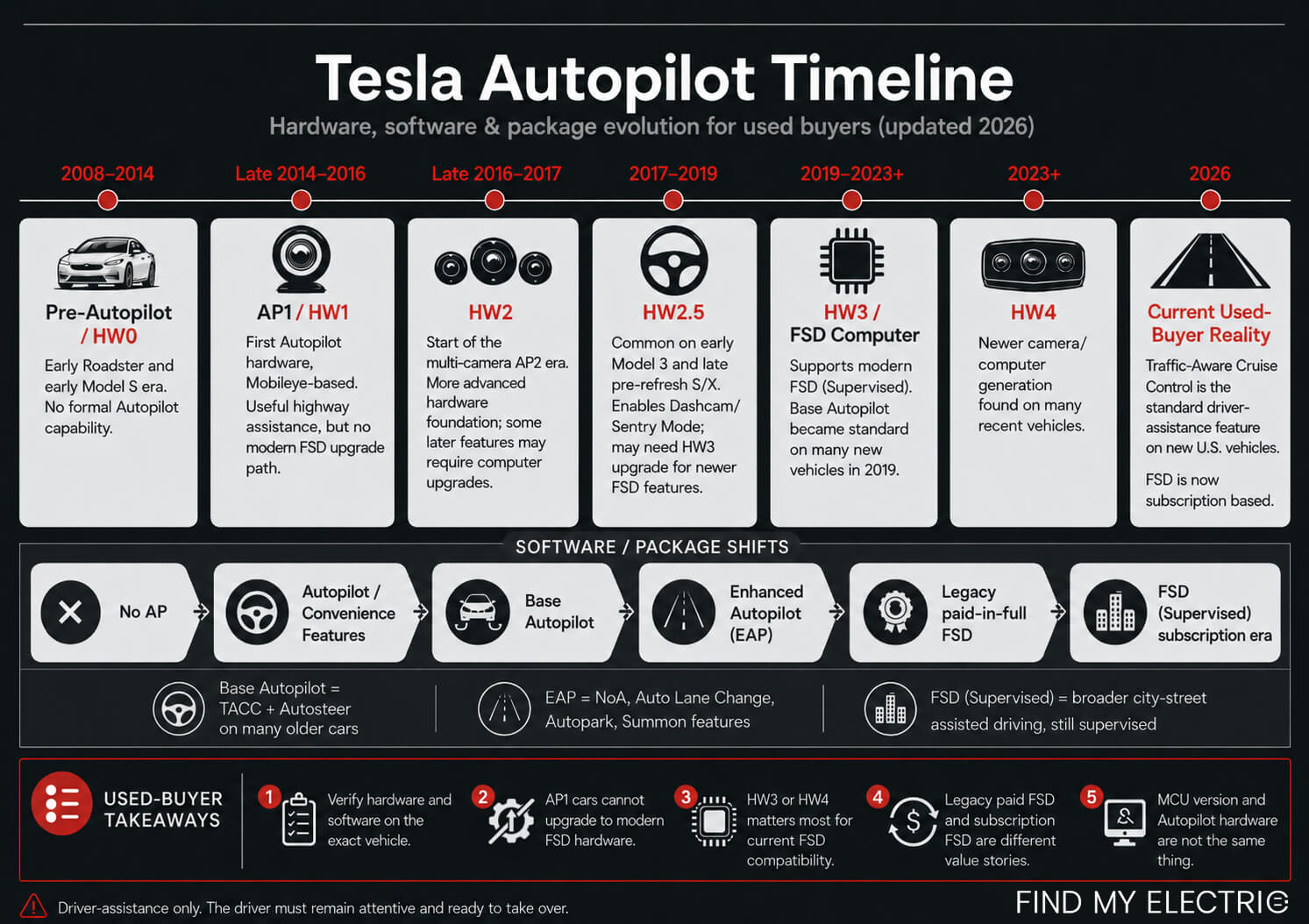
In order to understand the full timeline of Autopilot hardware/software changes, let’s take a look at the graphic below:

As you can see from the infographic above—Tesla has made continuous improvements to the Autopilot software and hardware since its inception in 2014. The big thing to remember is that hardware version, software package, subscription status, and ownership path all matter when you’re shopping used.

Now, let’s take a look at some of the various hardware and software terms mentioned in the infographic in order to understand what they mean, and how they function.

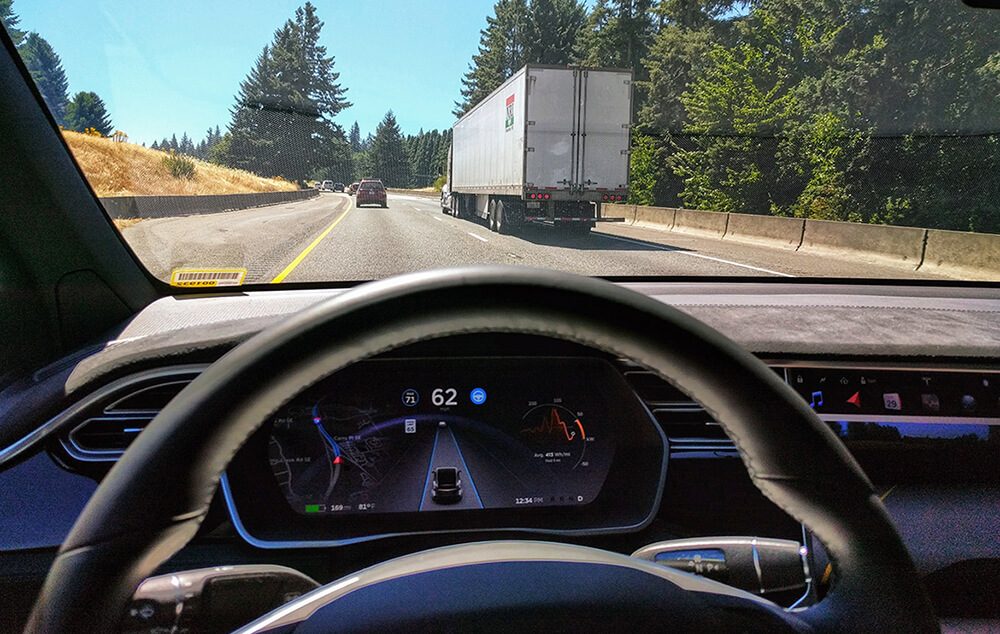
Tesla Autopilot Engaged in Model X

Tesla Media Control Unit—What It Is & What It Does

The Tesla Media Control Unit (commonly referred to as the MCU) is the “brains” behind the screen in Tesla vehicles. It doesn’t do the actual Autopilot driving computation, but it does control the touchscreen experience, maps, media, connectivity, and the interface you use to access settings and software information.

In the Model S/X, the MCU is part of the center 17” touchscreen assembly. Older Model S/X vehicles have gone through several generations of MCU hardware, and this matters a lot for used buyers because MCU speed, cellular connectivity, app support, and general responsiveness can vary dramatically.

MCU1—This version was produced from 2012 to early 2018 and underwent some small variations during that time. Some MCU1 vehicles do not have LTE connectivity, and many older MCU1 cars feel noticeably slower today.

MCU2—This version was produced from 2018 to 2021 in Model S/X and is much faster and more responsive. Tesla has offered an official MCU2 upgrade for many older Model S/X vehicles, and it can make a big difference in daily usability.

MCU3 / Ryzen-era systems—This newer generation came with the refreshed Model S/X and later Tesla vehicles. It is much faster and better suited for modern streaming, gaming, visualization, and general touchscreen performance. However, it is not a simple backwards-compatible upgrade for older MCU2 vehicles.

The key point for Autopilot shoppers: MCU version is not the same thing as Autopilot hardware. A used Tesla can have MCU2 but HW2.5, or MCU1 with AP1, or HW3 with an older screen setup. Always check both.

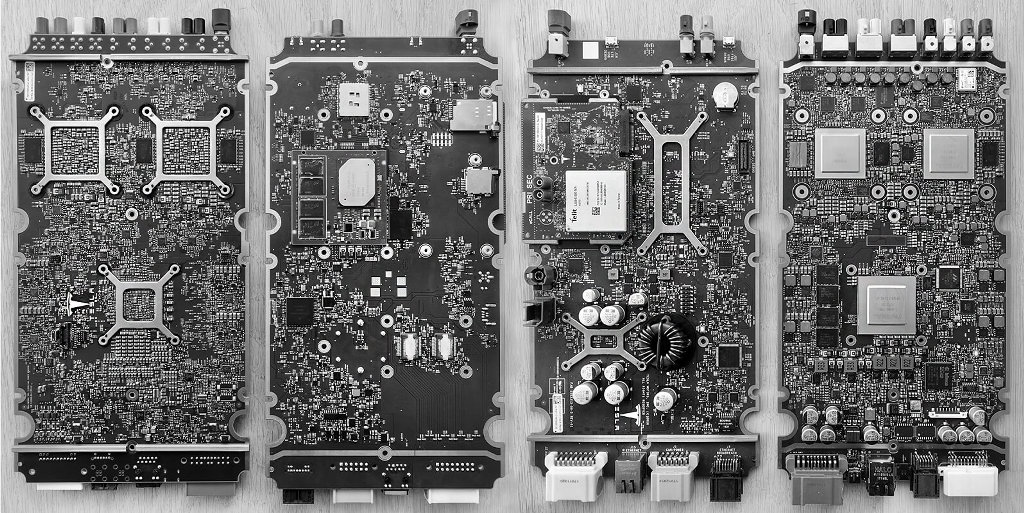
Tesla HW2.5 module and Infotainment Board from a Model 3

Tesla Autopilot Hardware Versions Explained

In addition to the MCU, Tesla has produced a variety of different Autopilot hardware versions over the years.

The early Model S vehicles from 2012 to 2014 did not have formal Autopilot capability. These are often described as HW0 cars.

From about 2014 to 2016, Tesla worked with Mobileye to produce the first version of Tesla Autopilot hardware (HW1). This hardware used a single forward-facing camera, radar, and ultrasonic sensors. AP1 cars can be great highway cruisers, but they cannot be upgraded to modern FSD hardware.

A big shift came in October 2016 when Tesla unveiled Autopilot hardware version 2.0 (HW2). This was Tesla’s in-house move toward a multi-camera system and is the start of the AP2 era. HW2 cars have the camera layout needed for more advanced features, though many need upgraded computers for later FSD functionality.

In 2017, Tesla upgraded the Autopilot hardware to version 2.5 (HW2.5). This is the hardware that early Model 3s shipped with, and it also enabled features like Dashcam and Sentry Mode video recording.

2019 marked the year of Autopilot version 3.0 (HW3), also called the FSD Computer. This was Tesla’s first major in-house FSD computer and became the backbone for FSD Beta and later FSD (Supervised) on millions of vehicles.

In 2023, Tesla began rolling out Autopilot hardware version 4.0 (HW4). HW4 brought newer cameras and more processing capability. It appears on later Model S/X, Model Y, Cybertruck, and refreshed Model 3 vehicles, depending on model, factory, region, and build date.

To summarize the general changes in MCU and Autopilot hardware versions, see the chart below. Dates are approximate, and Tesla production transitions are messy enough that you should always verify the individual car.

Hardware / Computer Approx. Tesla Timing Used-Buyer Notes
HW0 2012-2014 Model S No formal Autopilot capability. Not upgradeable to modern Autopilot/FSD.
AP1 / HW1 Late 2014-2016 Model S/X Mobileye-based Autopilot. Useful highway assistance, but no modern FSD upgrade path.
HW2 Late 2016-2017 Start of Tesla’s in-house multi-camera AP2 era. May need computer upgrade for some FSD features.
HW2.5 2017-2019 Common on early Model 3 and late pre-refresh S/X. Enables Dashcam/Sentry Mode; may need HW3/FSD computer upgrade for FSD.
HW3 / FSD Computer 2019-2023+ depending model Supports FSD (Supervised), though some newer software capabilities may be optimized first for HW4.
HW4 2023+ depending model Newer camera/computer generation found on many recent Model S/X/Y, refreshed Model 3, and Cybertruck builds.
MCU1 / MCU2 / MCU3 Varies by model and year Controls screen/interface experience, not the same as Autopilot hardware. Verify both MCU and Autopilot computer.

It’s also worth mentioning that in the Tesla community, Autopilot versions are simply referred to as “AP1” and “AP2” which mean the following:

AP1—this term refers to the 2014-2016 version of Tesla’s Autopilot hardware, produced by Mobileye with a single camera. This version does not have Smart Summon, Navigate on Autopilot, auto parking, and cannot support Full Self-Driving. It’s common on Model S/X variants such as P85D, 85D, and other popular models produced prior to October 2016.

AP2—this term refers to the October 2016 and later version of the Autopilot hardware which includes HW2, HW2.5, and HW3 with 8 cameras. This is common in the Model 3 and vehicles like the Model S/X P100D (although a small number of P100Ds have AP1 hardware), and Performance AWD. If you’re looking for the latest compatibility and features, you want to find a Tesla with AP2 hardware. And because of the increased compatibility, the used market price of used AP2 Teslas is higher.

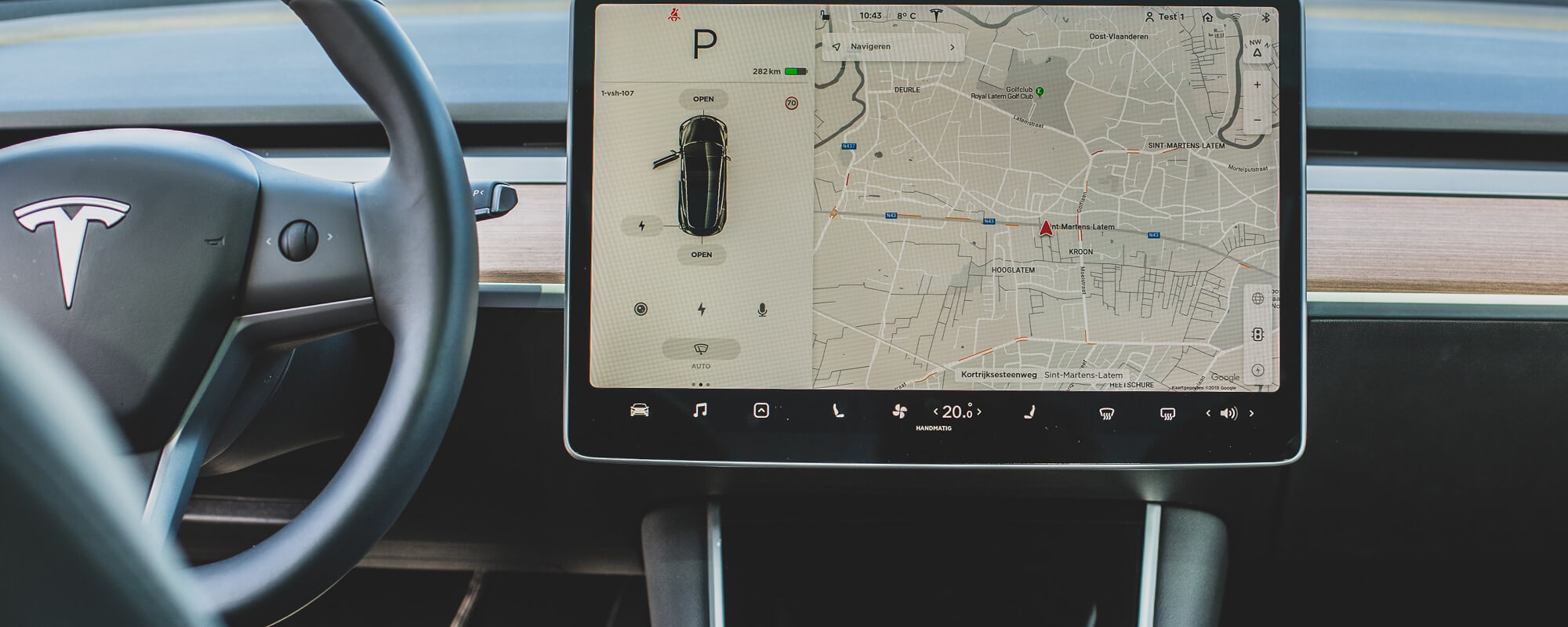
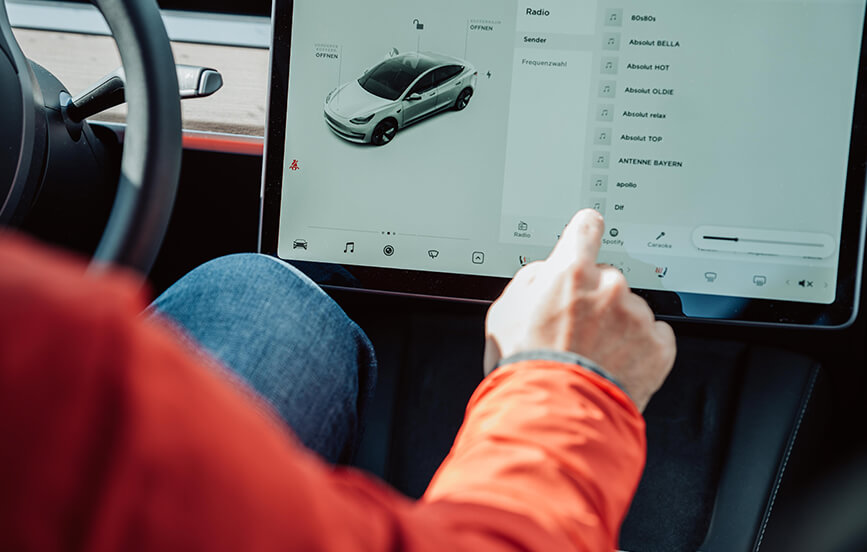
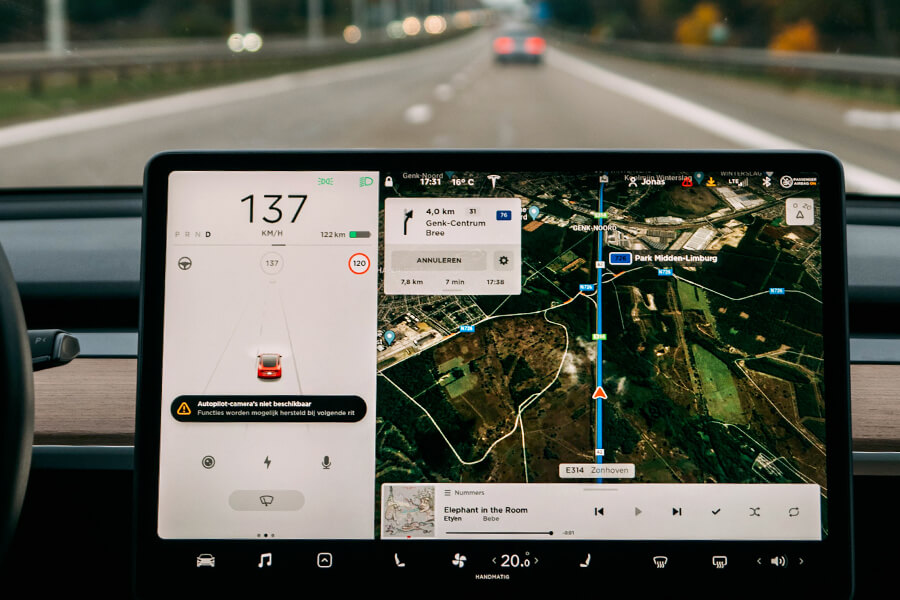
Tesla Autopilot Touchscreen

Tesla Autopilot Software Package Levels Explained

Throughout the production years, Tesla has offered a variety of Autopilot software packages across Model S, Model 3, Model X, Model Y, and Cybertruck. Some were one-time purchases. Some were standard for a while. Some were removed, renamed, or folded into other packages. And now, FSD (Supervised) is largely a subscription story for new buyers.

In order to help used Tesla buyers understand the differences in features that any given vehicle may have, we’ve taken the major package names and provided an overview below:

Autopilot with Convenience Features

This was the very first Autopilot package for AP1 vehicles. It included features like front collision avoidance, lane departure warnings, Traffic-Aware Cruise Control, Autosteer, automatic braking/acceleration, Autopark, speed sign reading, and an early version of Summon.

This package originally cost around $2,500 from Tesla and was groundbreaking at the time. In 2026, it is mostly important because many early used Model S/X vehicles still get described as AP1 or “Autopilot with Convenience Features.”

Enhanced Autopilot (EAP)

Enhanced Autopilot (EAP) has come and gone from Tesla’s ordering pages over the years, but you will still see it on plenty of used Teslas. EAP generally includes features like Navigate on Autopilot, Auto Lane Change, Autopark, Summon, and Smart Summon, but it does not include the full city-street FSD (Supervised) experience.

The price of EAP has varied over the years, often landing around $4,000-$6,000 depending on timing and upgrade path. In 2026, EAP is mainly a used-market feature to verify rather than something every new buyer can simply add in the same way as before.

Base Autopilot

As of April 2019, Tesla made “Base Autopilot” standard on many new vehicles. Traditionally, this meant Traffic-Aware Cruise Control plus Autosteer, but not the bigger EAP/FSD features like Navigate on Autopilot, Auto Lane Change, Summon, or Autopark.

This changed again in 2026 for new vehicles in the U.S. and Canada, where Tesla shifted the standard feature set toward Traffic-Aware Cruise Control and moved Autosteer/FSD-style functionality behind the FSD (Supervised) subscription. For used buyers, this means you need to pay attention to the specific car and not rely on broad rules like “all Teslas have Autopilot.”

Full Self-Driving (FSD)

Full Self-Driving (Supervised) is Tesla’s top driver-assistance package. It includes the broadest suite of features and is designed to provide assisted driving across a wider range of roads, including city streets, under active driver supervision.

This package used to be sold as a paid-in-full software option, with pricing moving around dramatically over the years. In 2026, Tesla moved FSD (Supervised) to a subscription-focused model for new buyers in the U.S., with Tesla currently listing the subscription at $99/month. Legacy paid-in-full FSD on used cars is still a thing, and it can matter for resale value, but you absolutely need to verify it before paying extra for it.

Enhanced Autopilot (EAP) vs. Full Self-Driving

Now that you’ve seen the different variations among Autopilot packages, how do EAP and FSD compare to each other?

The simplest way to think about it is this: EAP is mostly the advanced highway/parking/summon bundle, while FSD (Supervised) is the broader system that adds city-street assisted driving and the newest Tesla self-driving development path.

For a used Tesla buyer, EAP can still be a great feature. It gives you many of the things people actually use on road trips: Navigate on Autopilot, Auto Lane Change, Autopark, and Summon/Smart Summon. But it is not the same as FSD (Supervised), and it is not where Tesla is focusing most of its self-driving development energy.

FSD (Supervised) is the more advanced and more future-facing package, but it also comes with the most confusion. Older cars may have legacy paid-in-full FSD. Newer access may be subscription-based. Hardware version matters. Software version matters. And none of it makes the car autonomous.

So, is FSD worth it? This answer is different for everyone. If you mostly want highway lane keeping and adaptive cruise, you may not care. If you want the newest Tesla driver-assistance experience and you’re comfortable supervising it closely, FSD (Supervised) may be worth trying—especially now that subscription access makes it easier to test without buying a permanent software package.

Tesla Autopilot Features

To summarize the full Autopilot feature list, we’ve created the following table:

Feature / Package Older AP1 Base Autopilot Enhanced Autopilot FSD (Supervised)
Traffic-Aware Cruise Control Yes Yes Yes Yes
Autosteer / Lane Centering Yes Usually yes on legacy Base Autopilot cars Yes Yes
Auto Lane Change Limited / older behavior No Yes Yes
Navigate on Autopilot No No Yes Yes
Autopark Yes, older version No Yes, if supported Yes, if supported
Summon / Smart Summon Basic Summon only No Yes, if supported Yes, if supported
Traffic Light and Stop Sign Control No No No Yes
City-street assisted driving No No No Yes, supervised
Fully autonomous driving No No No No, not for consumer supervised FSD

Which Teslas Have Autopilot?

If you’ve been thinking about Autopilot, you may have had the question on your mind—does every Tesla have Autopilot?

And the simple answer to that question is—no, not every Tesla has Autopilot in the same way.

Prior to September 2014, no Teslas had formal Autopilot capability. From late 2014 through 2016, many Model S/X vehicles had AP1 hardware. From late 2016 onward, Tesla moved into the AP2 era, with multiple hardware versions after that.

All Model 3 and Model Y vehicles have some version of Tesla’s newer multi-camera Autopilot/FSD hardware, but that does not mean every Model 3/Y has the same software package. A used Model 3 might have no paid upgrades, legacy Base Autopilot, Enhanced Autopilot, paid-in-full FSD, or only subscription access depending on year and ownership history.

In 2026, this got even more confusing because Tesla shifted new U.S./Canada vehicles away from the old standard Base Autopilot bundle and toward Traffic-Aware Cruise Control as the standard feature, with FSD (Supervised) available by subscription. So for used buyers, the rule is simple: verify the exact car.

Can Older Teslas Get Autopilot?

The answer to this question depends on what’s meant by “older Teslas.”

Teslas manufactured before September 2014 do not have Autopilot hardware and cannot be upgraded to modern Autopilot/FSD in any normal factory-supported way.

September 2014 to September 2016 Teslas generally have AP1 hardware. AP1 can be useful, but it cannot be upgraded to AP2, HW3, or HW4.

October 2016 and later Teslas are in the AP2 world, but the exact upgrade path depends on the hardware. Some HW2/HW2.5 vehicles that purchased FSD were eligible for a computer upgrade to HW3/FSD Computer. HW4 is a newer hardware generation and is not a normal retrofit path for older cars.

The practical used-buyer advice: if modern FSD compatibility matters to you, look for a car that already has HW3 or HW4, and verify it directly in the car under the vehicle/software information screens.

Tesla Autopilot Side Camera
Tesla Autopilot Side Cameras

Tesla Autopilot Price—How Much Is Autopilot?

One of the most popular questions that people have about Autopilot is—how much does it cost?

And the answer in 2026 is—it depends heavily on whether you’re talking about an older used Tesla with legacy paid-in-full software, an in-app upgrade, or a current FSD (Supervised) subscription.

For years, Tesla sold FSD as a one-time software purchase, with the price moving from a few thousand dollars all the way up to $15,000 before later dropping. In 2026, Tesla moved new U.S. FSD access to a subscription model, and Tesla currently lists FSD (Supervised) at $99/month.

That means the used Tesla market now has two different FSD value stories: older cars with legacy paid-in-full FSD attached to the vehicle, and newer/current cars where FSD is more of a monthly subscription decision.

Can I Upgrade My Tesla Autopilot?

We’ve already covered the hardware upgrades in multiple sections in this guide. Software upgrades and subscriptions are a different story. Depending on the vehicle, region, and current Tesla offerings, you may be able to subscribe to FSD (Supervised), activate eligible upgrades in the Tesla app, or keep using legacy software that was previously purchased on the car.

The key is that you should not assume every Tesla has a simple upgrade path. Hardware version, region, and Tesla’s current product structure all matter.

Upgrading No Autopilot to Base Autopilot

This was mainly relevant to certain older Model 3 configurations that had the hardware but did not have Autopilot software enabled. Tesla’s current upgrade paths have changed enough that this is no longer a simple universal $3,000 answer.

If you are looking at an older used Tesla with no Autopilot software enabled, check the Tesla app and vehicle screen to see what upgrades are actually available for that VIN. Do not rely on old forum pricing or a seller’s memory.

Upgrading from Base Autopilot to Enhanced Autopilot (EAP)

Enhanced Autopilot has been offered, removed, reintroduced, and repriced more than once. Historically, EAP upgrades often sat around $4,000-$6,000 and added features like Navigate on Autopilot, Auto Lane Change, Autopark, and Smart Summon.

In 2026, EAP is more of a legacy/used-market feature than a clean current upgrade path for every buyer. If your car shows an EAP upgrade in the Tesla app, use the current in-app price. If it does not, don’t assume you can buy it separately.

Upgrading from Enhanced Autopilot (EAP) to Full Self-Driving (FSD)

Historically, upgrading from EAP to FSD was a paid step, and upgrading from Base Autopilot to FSD could cost thousands of dollars. Those numbers changed many times.

In 2026, Tesla lists FSD (Supervised) as a $99/month subscription in the U.S., and the subscription path is the cleanest current reference point for many buyers. For used Teslas with legacy paid-in-full FSD, the value is different because the feature may already be attached to the car. That can matter, but it is only worth paying for if you verify that it is actually present and expected to remain with the vehicle after transfer.

Is Autopilot Worth It?

We definitely think Tesla’s driver-assistance tech can be worth it—but the right answer depends on the package and how you drive.

Traffic-Aware Cruise Control and Autosteer-style highway assistance can be a huge stress reliever on road trips and in traffic. Enhanced Autopilot can be worthwhile if you care about Navigate on Autopilot, Auto Lane Change, Autopark, and Summon features. FSD (Supervised) is the most advanced option, but it also requires the most realistic expectations: it can be impressive, it can be useful, and it can still do things that require immediate driver intervention.

If you’ve not driven a Tesla with these features, it’s truly something to experience. Just remember that “worth it” is different from “autonomous.” You are still the driver.

Tesla Autopilot Software Updates Explained

The great thing about Tesla Autopilot is that it keeps getting better and better over time because software updates can be sent over-the-air (OTA) from Tesla directly to your vehicle.

Tesla has dramatically improved Autopilot over time with these types of updates in order to add new features, fix bugs, and make sure that the vehicle is operating in tip-top shape.

Tesla has added features like Smart Summon, Navigate on Autopilot, and even Traffic and Stop Light Control just by remote software updates.

The great thing about Tesla is that since they make the hardware and the software (similar to Apple), they can fine tune things very easily, and things “just work” compared to other auto manufacturers who rely on a variety of companies to come together in many different ways to make their products function properly.

Tesla Over Air Update

Over The Air (OTA) Autopilot Updates

As mentioned above, the OTA updates are one of the coolest things about Teslas because your car gets upgrades that you never even knew were possible, and you don’t have to do anything (well, almost anything).

In order to receive an OTA Autopilot update, you simply need to navigate to the “Software” tab on your touch screen. If a new update is available, you just tap the option to install the update and the car takes care of the rest.

One important thing to note is that Tesla updates are best installed over WiFi, so it’s often a good idea to update at home when you’re in range of your WiFi router.

Notable Autopilot Software Updates

Some awesome and notable Autopilot/FSD updates that happened (or were optional) completely over the air (OTA) include:

  • Navigate on Autopilot updates
  • Smart Summon and later Summon improvements
  • Stop light and road sign visualization
  • Traffic Light and Stop Sign Control
  • FSD Beta expansion and later FSD (Supervised)
  • Camera-based Tesla Vision updates
  • Driver monitoring and Autopilot nag/safeguard updates

Is Tesla Autopilot Safe?

In a one-word answer—yes, Tesla Autopilot and FSD (Supervised) can be very helpful safety and convenience systems when used correctly.

But this is also where we need to be careful. Autopilot is not a replacement for an attentive driver, and FSD (Supervised) is not a robot chauffeur. Tesla’s own language makes clear that the driver must remain attentive and ready to take over at all times.

Tesla has reported strong safety statistics for miles driven with Autopilot engaged, but those numbers are not a perfect apples-to-apples comparison with all human driving. Autopilot is often used on highways and roads where conditions may already be safer than the average driving environment. So the fair takeaway is not “Autopilot is magic.” The fair takeaway is that Tesla’s driver-assistance systems can reduce workload and may improve safety when used properly, but misuse or overconfidence can create real danger.

Enhanced Autopilot features assist with the most burdensome parts of driving.

How Good is Autopilot?

Tesla’s driver-assistance systems have improved dramatically since the early AP1 days. Highway lane keeping is smoother, FSD (Supervised) can handle far more scenarios than early Autopilot ever could, and the system’s visualizations and decision-making have become much more advanced.

That said, “good” does not mean “perfect.” Autopilot and FSD can still brake unexpectedly, make awkward choices, misread a situation, or require the driver to take over quickly. The best owners treat these systems like very advanced driver assistance—not a replacement driver.

If you’re buying used, also remember that “Autopilot” quality depends on the car. AP1, HW2.5, HW3, and HW4 cars can feel very different.

Tesla introduces ticket-avoidance-mode for Model S (April Fools joke from 2015)

Is Autopilot Legal?

In the U.S., Tesla’s driver-assistance features are generally legal to use where permitted, but the human driver must remain attentive and ready to take control at all times.

Tesla has also added and adjusted driver monitoring over the years. Depending on the vehicle and software version, the car may use steering-wheel torque, cabin camera monitoring, visual warnings, audible alerts, and lockouts if the driver ignores prompts.

Legality, feature availability, and naming can also vary by jurisdiction. So, if you’re considering purchasing a Tesla—or using FSD (Supervised) in a particular region—check Tesla’s current terms and your local rules.

Full Self-Driving (Supervised)—Where It Is & Where It’s Going

Full Self-Driving (Supervised) is undoubtedly one of the most compelling aspects of Tesla vehicles. If you haven’t experienced it, it can feel straight out of science fiction.

However, the name still causes confusion. Consumer FSD is supervised. It does not make a Tesla fully autonomous, and it does not let the driver check out, sleep, or stop paying attention.

So where is FSD now, where is it going, and what should a used Tesla buyer actually care about? Let’s jump in and take a look!

Current FSD Capabilities

Currently, Full Self-Driving (Supervised) can include the following, depending on vehicle, region, hardware, and software version:

  • Traffic-Aware Cruise Control
  • Autosteer / lane assistance
  • Navigate on Autopilot-style route following
  • Auto Lane Change
  • Autopark, when supported
  • Summon / Smart Summon, when supported
  • Traffic Light and Stop Sign Control
  • City-street assisted driving under active supervision

Looking at this list, it’s clear that FSD (Supervised) has some really impressive capabilities. But the system still requires the driver to supervise it constantly.

Activating Autopilot in Model 3 and Model Y

Future FSD Capabilities

What’s on the horizon for FSD? Well, that depends on how quickly Tesla can move from supervised driver assistance toward true autonomy, and that is a much harder problem than early Tesla timelines suggested.

Tesla is still pushing heavily on AI, computer vision, fleet learning, and robotaxi ambitions. But for consumer-owned Teslas, the key phrase remains FSD (Supervised). Until Tesla and regulators allow a consumer system that no longer requires human supervision, the driver still has to pay attention and take responsibility.

For used buyers, that means you should value FSD based on what it does today, not just what it might do someday.

Traffic Light and Stop Sign Control (Beta)

What’s level 5 autonomy, you ask? Great question—let’s check out the chart below based on the Society of Automotive Engineers standards:

SAE AUTONOMY LEVEL WHAT DOES THE DRIVER DO?
0 You ARE driving and must constantly supervise. Support features are limited to things like automatic emergency braking, lane departure warnings, and blind spot warnings.
1 You ARE STILL driving, but there are more assistance features such as lane centering OR, adaptive cruise control (TACC) OR, acceleration/braking assistance.
2 You ARE STILL driving, but the assistance features can work in tandem. Lane centering can happen WHILE adaptive cruise control is working, etc.
3 You are NOT driving, but must be alert in the driver’s seat and when the system request, you must drive. The vehicle can be driven under limited conditions such as traffic jams.
4 You are NOT driving, and will not be required to take over. However, this system will only work under certain conditions.
5 You are NOT driving, and will not be required to take over. This system will operate itself and by fully self-driving under all conditions.

In consumer use, Tesla’s Autopilot and FSD (Supervised) are best understood as Level 2 driver-assistance systems: the car can assist with steering, speed, and navigation behavior, but the human driver is still responsible for supervising and taking over.

When Will Tesla Vehicles Be Fully Autonomous?

No one knows for sure.

Tesla has made plenty of ambitious timelines over the years, and some of those timelines aged about as well as milk in a hot Model 3. The technology has improved dramatically, but true unsupervised autonomy is not just a software demo problem. It involves safety validation, regulation, liability, edge cases, hardware capability, public trust, and a whole lot of boring real-world details.

Our practical take: buy or value FSD based on what it can do now, not based on a promise of full autonomy later. If Tesla eventually delivers unsupervised capability to consumer cars, great. But when you’re shopping used, don’t pay as if that future has already arrived.

Will FSD Be Offered as a Subscription Service?

Yes. In fact, in 2026 this is the main current access model for many new buyers.

Tesla currently lists Full Self-Driving (Supervised) as a $99/month subscription in the U.S. Eligibility depends on hardware and configuration, and pricing can change. If you’re buying used, this matters because a subscription is different from legacy paid-in-full FSD. A subscription does not create the same permanent used-car value story as a vehicle that already has paid-in-full FSD attached.

Tesla Autopilot vs. Competitors

When looking at driver-assistance and autonomous-driving technology, Tesla’s Autopilot/FSD ecosystem is still one of the first systems that comes to mind. It’s one of the most talked-about, most widely used, and most controversial systems in the market.

That said, the competitive landscape has changed a lot. Some systems are more conservative but allow hands-free driving on mapped highways. Some are true autonomous ride-hailing systems, but only in limited service areas. Others are traditional adaptive cruise/lane-centering systems that are useful but less ambitious.

So, let’s take a look at these competitors and how they match up against Tesla in terms of technology and function.

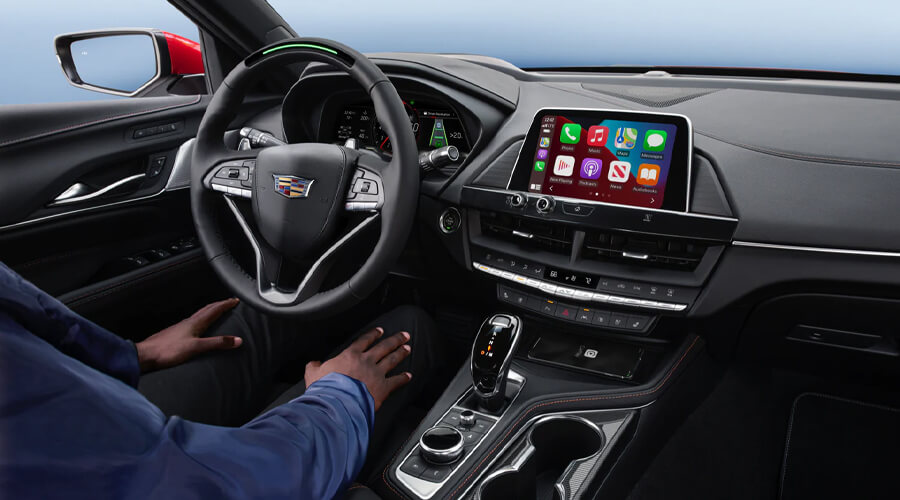
Cadillac Super Cruise

Cadillac Super Cruise vs. Tesla Autopilot

Cadillac Super Cruise is interesting because it can allow hands-free driving on compatible, mapped roads while using driver monitoring to make sure the driver is still paying attention.

The tradeoff is that Super Cruise is more limited in where it can operate. It is built around mapped highways and approved roads, while Tesla’s FSD (Supervised) is trying to work across a much broader variety of real-world driving situations. Super Cruise may feel calmer and more conservative in its intended environment; Tesla is more ambitious and more flexible, but also asks the driver to supervise a system that can behave unpredictably.

Tesla Autopilot vs. Waymo

Waymo is not really a direct used-car feature competitor, because you don’t buy a Waymo system on a personal vehicle the way you buy a Tesla with FSD. Waymo is an autonomous ride-hailing company operating in specific service areas with its own vehicles, sensors, mapping, and operational controls.

That makes the comparison interesting but imperfect. Waymo is closer to true driverless operation in limited areas. Tesla is trying to deploy supervised driver-assistance broadly across customer-owned vehicles, with a long-term goal of autonomy. One is more geographically constrained but more autonomous in service; the other is far more widespread but still supervised in consumer cars.

Ford Co-Pilot 360

Ford Co-Pilot 360 vs. Tesla Autopilot

Ford Co-Pilot360 covers a wide range of driver-assistance features, including things like automatic emergency braking, lane keeping, blind spot monitoring, adaptive cruise control, and other safety/convenience functions.

The more interesting comparison is Ford BlueCruise, which offers hands-free highway driving on approved roads with driver monitoring. Like Super Cruise, BlueCruise is more conservative and map-limited than Tesla FSD (Supervised), but the hands-free experience can be very appealing for drivers who mostly want comfortable highway assistance rather than an ambitious city-street system.

Volvo Pilot Assist

Tesla Autopilot Compared to Volvo Pilot Assist

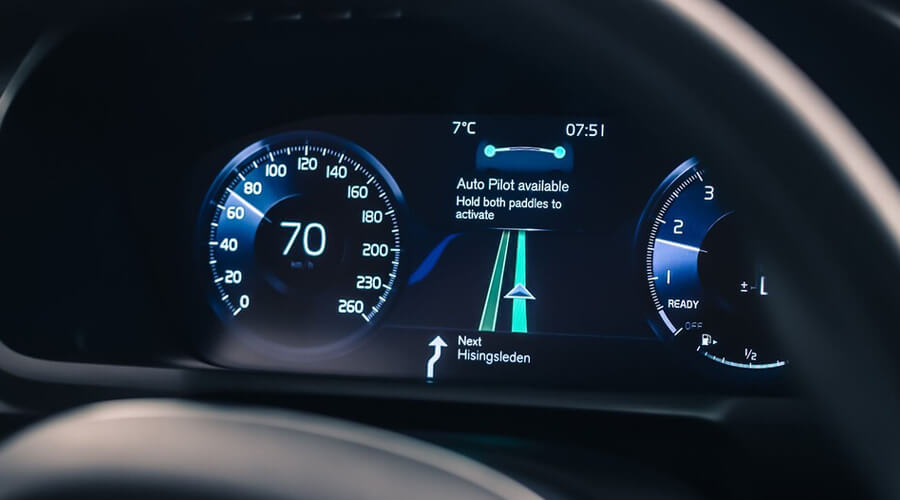
Volvo Pilot Assist is more of a traditional driver-assistance system than a full Tesla-style FSD competitor. It combines adaptive cruise control and steering assistance to help with lane centering and speed control.

That’s useful, especially on highways, but it is not trying to do what FSD (Supervised) is trying to do. The value is simplicity and predictability. The downside is that it does not have the same broad self-driving development path that Tesla is pursuing.

BMW Driver Assistance Plus

BMW Driver Assistance Plus vs. Tesla Autopilot

BMW’s driver-assistance systems have become much more capable over time, especially on newer models with highway assistant functionality, driver monitoring, lane centering, adaptive cruise, and assisted lane changes.

BMW tends to take a more premium, controlled, comfort-focused approach. Tesla’s system is more software-forward and ambitious, especially with FSD (Supervised). For used buyers, the comparison depends heavily on what you want: a more traditional luxury-driver-assist experience, or Tesla’s broader and faster-evolving self-driving software ecosystem.

Mercedes-Benz DISTRONIC PLUS

Tesla Autopilot Compared to Mercedes-Benz DISTRONIC PLUS

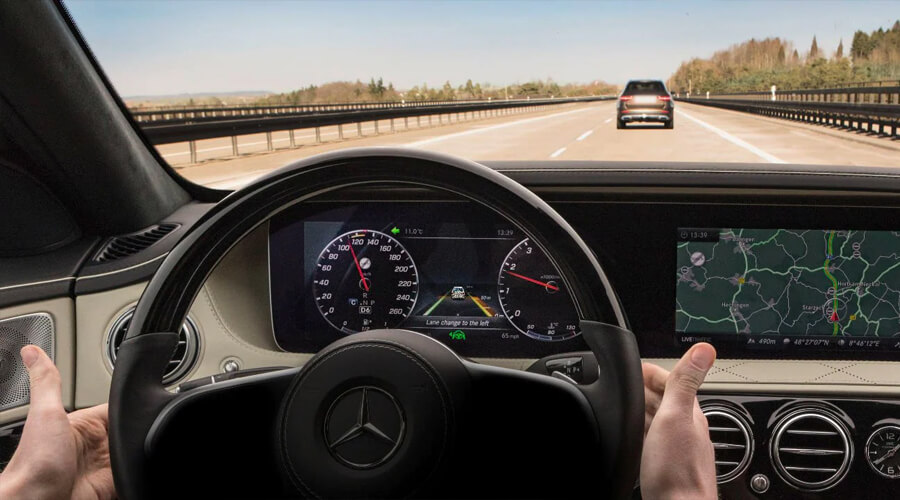
Mercedes-Benz has offered DISTRONIC-style adaptive cruise and driver-assistance features for years, and newer Mercedes systems have become much more advanced. In some markets and specific conditions, Mercedes has also pushed into higher-level automated driving with DRIVE PILOT.

That said, Mercedes and Tesla are taking very different paths. Mercedes tends to use a more tightly constrained, condition-specific approach. Tesla’s consumer system is broader but supervised. So this is less about one system “winning” everywhere and more about what kind of driver-assistance philosophy you prefer.

Chevrolet Driver Confidence Package

Chevrolet Driver Confidence vs. Tesla Autopilot

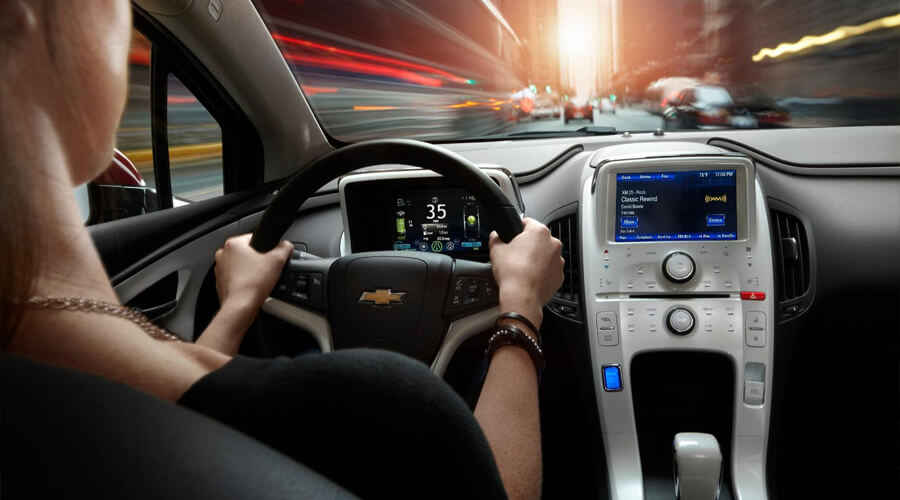
Chevrolet Driver Confidence packages cover basic safety and driver-assistance features like lane keeping, collision warnings, emergency braking, and related alerts. Those features are useful, but they are not really in the same category as Tesla FSD (Supervised).

The stronger GM comparison is Super Cruise, which is available on certain GM vehicles and offers hands-free driving on compatible mapped roads. Like Cadillac Super Cruise, it is more limited in operating area than Tesla’s FSD approach, but it can be very polished where it is supported.

Used Teslas and Autopilot

One of the biggest questions that used Tesla buyers have on their mind when it comes to Autopilot, Enhanced Autopilot, and FSD is whether the software will transfer in the event of a sale.

There are a lot of scenarios and different ways that someone can acquire a used Tesla—from a private party, dealer, auction, or Tesla directly—and the answer is not always as clean as people want it to be.

The simple version: legacy paid-in-full software features often transfer in private-party sales, subscriptions generally do not, and Tesla has the final say on what is attached to the vehicle after ownership changes.

Sound good? Alright, let’s dive into some specifics…

Does Autopilot Transfer If You Buy a Used Tesla?

Before you even start thinking about whether Autopilot or FSD will transfer, you need to first verify that the car you’re thinking of purchasing actually has the features you want.

If the owner says the car has Enhanced Autopilot, Full Self-Driving Capability, or FSD (Supervised), ask them to show you the software screen in the vehicle and the relevant Tesla app screens. Ideally, verify live over video or in person.

Verifying Autopilot/FSD Status in the Tesla App and Vehicle Screen

The current owner can show the vehicle’s software/additional vehicle information screens and any available upgrades in the Tesla app. If a feature is already permanently attached, it may not appear as an available upgrade. If FSD is only active because of a subscription, that is a very different situation from paid-in-full FSD attached to the vehicle.

While this is one way to check, we really prefer the next way to be sure

Verifying Autopilot/FSD Status Directly With Tesla

If you want to make sure that the vehicle you’re purchasing has a specific feature, reach out to Tesla with the VIN and ask what is attached to the car. Be sure that the VIN is the correct VIN for the vehicle you’re considering purchasing.

Don’t trust anyone who simply gives you a screenshot and a promise. This is especially important if you are valuing the car higher because it supposedly has paid-in-full FSD. Subscription FSD, trial FSD, and legacy paid-in-full FSD are not the same thing.

With all that said—let’s take a look at the scenarios where Autopilot/FSD may (or may not) transfer.

Buying a Used Tesla With Autopilot From a Private Party

Does Autopilot transfer when buying a used Tesla from a private party? Generally, legacy vehicle-attached Autopilot/EAP/FSD features tend to stay with the car in a normal private-party ownership transfer.

That’s the good news.

The caveat is that you need to know exactly what kind of access the car has. Legacy paid-in-full FSD attached to the vehicle is different from an active FSD subscription on the seller’s account. A subscription is not something you should value like permanent software on the car.

Also, Tesla owns and controls the software ecosystem, so unless you are the original purchaser and have Tesla’s current terms in front of you, treat everything as “verify first, value second.”

Purchasing a Used Tesla from a Dealer with Autopilot On It

Will Autopilot upgrades like EAP and FSD transfer if you purchase a Tesla from a dealer? Maybe, but not always.

Dealer listings can be messy because the dealer may not understand the difference between Autopilot hardware, Base Autopilot, Enhanced Autopilot, paid-in-full FSD, FSD (Supervised), and a temporary subscription or trial.

So, when purchasing from a dealer, it may be wise to value software upgrades a little more conservatively unless the dealer can prove what is permanently attached to the car. Ask for current vehicle screen photos, Tesla app proof where possible, and confirmation after ownership transfer. If the price depends heavily on FSD being present, slow down and verify.

Purchasing a Used Tesla Directly From Tesla (CPO)

Purchasing a used Tesla directly from Tesla is usually the cleanest software-verification path because Tesla controls the listing and the ownership transfer.

But you should still read carefully. Tesla can change used inventory pricing, included features, trial language, and software package descriptions. If Tesla’s used listing says a car includes a specific Autopilot or FSD feature, save a copy of that listing and confirm the feature after delivery.

The big advantage here is that you are buying from the company that controls the software. The downside is that Tesla’s used inventory pricing may or may not be the best deal compared with a private-party Tesla on Find My Electric.

Tesla Autopilot Hands-Free
Tesla Autopilot Handsfree

Frequently Asked Questions (FAQ) About Tesla Autopilot, Full Self-Driving & More

We’ve covered tons of topics so far in this ultimate guide to Tesla Autopilot, but in order to make sure we’ve left no stone unturned, we created an FAQ section to answer popular questions about Tesla Autopilot, Full Self-Driving (Supervised), used Tesla transfers, and more.

Do all Teslas have Autopilot?

No—not in the same way. Pre-September 2014 Teslas do not have formal Autopilot hardware. Many 2014-2016 Model S/X vehicles have AP1. Later vehicles have newer Autopilot hardware, but software packages vary. In 2026, new U.S./Canada vehicles may come standard with Traffic-Aware Cruise Control rather than the older Base Autopilot bundle that included Autosteer.

Can you upgrade an AP1 car to AP2?

No—not in any normal factory-supported way. AP1 cars use different hardware and cannot be upgraded to AP2, HW3, or HW4. If you want modern Autopilot/FSD compatibility, buy a car that already has the right hardware.

What year did Tesla Autopilot come out?

Tesla Autopilot hardware first arrived in late 2014. AP1 ran through roughly 2016, HW2 arrived in October 2016, HW2.5 followed in 2017, HW3 arrived in 2019, and HW4 began rolling out in 2023 depending on model and build date.

Can Tesla Autopilot turn?

Yes, Tesla Autosteer can turn the car within its operating limits, and FSD (Supervised) can handle far more complex turns under active driver supervision. But the car is not fully autonomous, and the driver must remain ready to take over.

Which year Tesla has Autopilot?

Teslas produced after late 2014 may have Autopilot hardware, but the exact hardware and software package depends on the vehicle. Don’t shop by year alone. Check the actual car’s configuration.

Can you add Autopilot to a 2013 Tesla?

No, not in any realistic factory-supported way. A 2013 Tesla does not have the hardware needed for Autopilot. You’re much better off buying a used Tesla that already has the features you want.

Does Tesla Autopilot stop at stop signs?

Base Autopilot generally does not. Traffic Light and Stop Sign Control/FSD (Supervised) can respond to stop signs and traffic lights in supported situations, but the driver must still supervise the system and be ready to intervene.

How long can a Tesla drive on Autopilot or FSD?

A Tesla can remain in Autopilot or FSD (Supervised) as long as conditions allow, the driver remains attentive, and the system does not disengage. The driver still has to supervise the system the entire time.

How reliable is Tesla Autopilot?

Tesla’s driver-assistance systems have improved significantly over time, but reliability depends on hardware, software, road conditions, and driver use. These systems can be impressive and useful, but they can still make mistakes. Treat them as driver assistance, not autonomy.

How do you activate Tesla Autopilot on Model S and X?

On many older Model S/X vehicles, Autopilot is activated by pulling the cruise/autopilot stalk twice. Newer refreshed vehicles and software versions may use different controls, so check the owner’s manual for the exact model/year.

How do you activate Tesla Autopilot on Model 3 and Y?

On many Model 3/Y vehicles with stalks, Autopilot is activated by pressing the right control stalk downward twice. Newer stalkless vehicles and FSD (Supervised) activation methods may differ, so check the vehicle’s current manual and on-screen settings.

How many Autopilot crashes have there been?

There is no simple, clean number that tells the whole story. Tesla reports safety data, regulators investigate incidents, and real-world risk depends on where and how the system is used. The practical answer is to use Autopilot/FSD properly, stay attentive, and never treat it as a replacement driver.

Did Tesla bring back Enhanced Autopilot (EAP)?

Tesla has offered, removed, and reintroduced Enhanced Autopilot at different times. In 2026, EAP is mostly important as a used-market feature or legacy upgrade. Check the Tesla app for current availability on a specific vehicle.

Does Autopilot come standard on a Tesla?

Historically, Base Autopilot became standard on many Teslas starting in 2019. In 2026, Tesla shifted new U.S./Canada vehicles toward Traffic-Aware Cruise Control as the standard driver-assistance feature, with Autosteer/FSD-style features tied to FSD (Supervised) subscription access. Used cars vary by year, package, and ownership history.

Does FSD transfer to a new owner?

Legacy paid-in-full FSD often stays with the vehicle in a normal private-party sale, but subscription FSD does not create the same permanent vehicle-attached value. Dealer, auction, Tesla trade-in, trial, and subscription situations can vary. Always verify the specific car before paying extra for FSD.

Where can I buy a used Tesla that already has Autopilot or FSD?

The best place to buy a used Tesla is right here on Find My Electric!

Not only do we offer the easiest way to search and find the exact Tesla you’re looking for, but if you’re interested in selling yours—we make that super easy too!

Check out our used Teslas for sale if you’re in the market to buy and save some money on a nice Tesla with Autopilot or FSD. And if you’re ready to sell your Tesla, sign up and create your ad in minutes!

Not sure which used Tesla you should buy? Wondering where to begin?

ULTIMATE GUIDE TO USED TESLAS

Everything You Wanted to Know About the Tesla Model S, 3, X & Y