
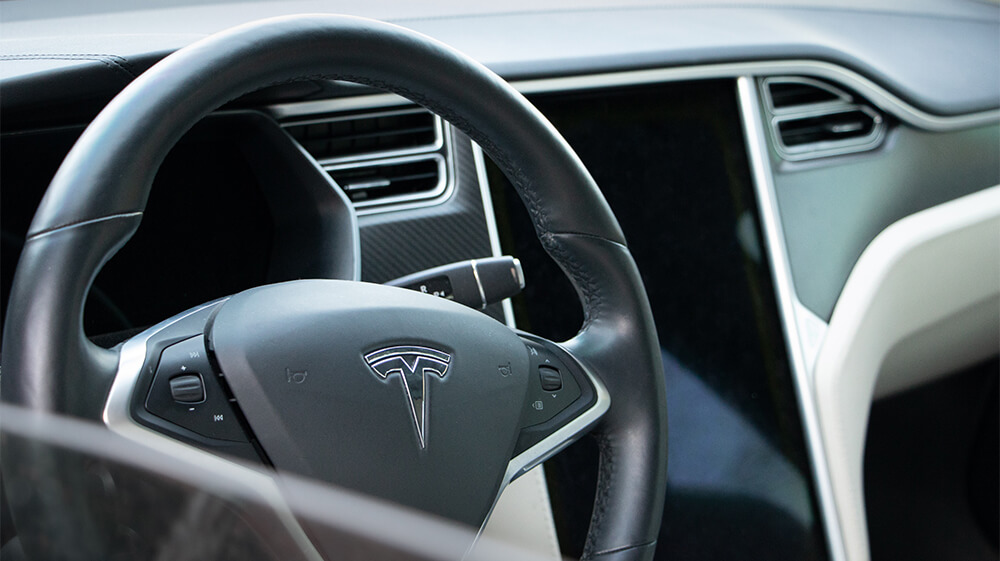
If you look long enough into buying a used Tesla, you’ll definitely come across some debate about Tesla’s MCU1 vs. MCU2. Most of the discussion centers around problems with MCU1 regarding failure of the embedded Multi Media Card (eMMC).
What is the MCU? Briefly, Tesla’s Media Control Unit (MCU) is the touchscreen computer that controls non-essential vehicle functions like HVAC, navigation maps, audio, connectivity, and entertainment. You’ll also see it called the Tesla infotainment system.
The reason this matters for used Tesla shoppers is simple: two Teslas that look similar on the outside can feel very different inside if one has the older MCU1 touchscreen computer and the other has MCU2 or a newer Ryzen-based system. The difference can affect screen speed, streaming apps, browser performance, navigation responsiveness, LTE connectivity, Sentry/Dashcam behavior, and overall day-to-day usability.
In today’s post, we’re going to look at the difference between Tesla’s main media control units, how to upgrade from MCU1 to MCU2, and what to consider when comparing used Teslas with MCU1, MCU2, or newer Ryzen-based infotainment hardware.
Tesla’s MCU1 Infotainment System: The Basics
Models: Legacy Model S, Model X
Years: Roughly 2012/2013 through early 2018, depending on model and build timing
Common issue: eMMC failure / recall-related eMMC replacement
The MCU1 uses an NVIDIA Tegra 3 processor and originally used an 8GB eMMC storage chip, with many vehicles later receiving a 64GB eMMC replacement through Tesla’s recall work. It features Tesla’s older browser platform, older infotainment hardware, and earlier cellular connectivity hardware.
For a lot of basic driving tasks, MCU1 can still be usable. It can control climate, navigation, media, and core touchscreen functions. But compared to newer Tesla infotainment systems, it feels old. Menus can be slow, maps can lag, the browser can be rough, and newer entertainment features are limited or missing.
MCU1 Limitations and Upgrades
The major issue that MCU1 needed corrected was potential eMMC failure. This problem can be solved without upgrading to MCU2, though there are several benefits to the full infotainment upgrade. Because eMMC failure prompted an official recall, many affected vehicles had the eMMC daughterboard replaced, upgrading the original 8GB chip to a larger 64GB chip. Tesla also reduced excessive data logging through software updates, which helped address one of the root causes of the early failures.
That said, an MCU1 car with the eMMC repair is still an MCU1 car. The recall repair helps with reliability, but it does not make the touchscreen experience feel like MCU2.
Another major consideration is connectivity. Many MCU1-era Model S and Model X vehicles originally relied on older 3G connectivity hardware. Since 3G service has been phased out, those cars need an LTE modem upgrade if the owner wants mobile data features to work properly.
Upgrading to Tesla’s MCU2 infotainment system is the more complete solution. It improves touchscreen speed, browser performance, video streaming, Tesla Arcade, maps, and general responsiveness, and it also includes the LTE modem upgrade as part of the package.
One final consideration: modern Tesla driver-assistance software is not just about the infotainment screen. The MCU is not the same thing as the Autopilot/FSD computer. However, older Model S/X vehicles can be a little confusing because a buyer may need to think about both the infotainment upgrade and the separate FSD computer upgrade depending on the car’s hardware, software package, and what they expect from the vehicle.
Tesla’s MCU2 Infotainment System: The Basics
Models: Model S, Model X, Model 3, Model Y
Years: Introduced on Model S/X around 2018, used on Model 3/Y before the later Ryzen transition
Common issue: Generally much better than MCU1, but now no longer Tesla’s newest infotainment hardware
The MCU2 uses an Intel Atom processor and is generally faster and smoother in almost every way compared to MCU1. It features a modernized browser experience, LTE connectivity, better media performance, and support for more entertainment features.
MCU2 is the upgrade Tesla offers for eligible older Model S and Model X vehicles with MCU1. For many owners, this upgrade is one of the most noticeable quality-of-life improvements you can make to an older Tesla.
MCU2 also supports more of Tesla’s modern entertainment environment, including video streaming and expanded Tesla Arcade access. It can also support improved Dashcam and Sentry Mode camera behavior when paired with the right Autopilot/FSD computer hardware.
MCU2 Limitations and Upgrades
One issue for some Model S/X owners is radio functionality. Tesla’s MCU2 upgrade does not automatically preserve every older radio feature. If the vehicle owner wants FM radio or SiriusXM support, Tesla offers a separate radio upgrade for eligible vehicles at additional cost. AM radio support is not part of that upgrade.
The other big limitation is that MCU2 is not the end of the story anymore. Tesla later moved to AMD Ryzen-based infotainment hardware, often casually referred to as MCU3. Ryzen-based systems are faster and are found in later Model S/X, many later Model 3/Y vehicles, and newer Tesla products such as Cybertruck.
At the time of this update, Tesla does not offer a normal MCU2-to-MCU3/Ryzen retrofit path for older vehicles. So if you’re buying a Tesla with MCU2, you should treat MCU2 as the infotainment system the car is likely to keep.
What About MCU3 / Ryzen?
This is the big thing that has changed since this article was originally written.
In the early MCU1 vs. MCU2 days, MCU2 was the “new” system. In 2026, MCU2 is better understood as the middle generation. It is still a big improvement over MCU1, but it is not the newest Tesla infotainment hardware.
The newer Ryzen-based system, often called MCU3 by owners, is found in many newer Teslas. It provides a faster touchscreen experience, better app performance, smoother media use, and generally more modern infotainment behavior.
For used Tesla shoppers, the important thing is not necessarily the unofficial name. The important thing is the processor shown in the car. You can usually verify this from the vehicle touchscreen by going into the software/additional vehicle information area and looking for the infotainment processor. If the car says Intel Atom, you’re looking at MCU2. If it says AMD Ryzen, you’re looking at the newer generation.
How to Upgrade Your Tesla MCU1 to MCU2
You can upgrade eligible Model S and Model X vehicles from MCU1 to MCU2 by scheduling an appointment with Tesla Service through the Tesla app.
Tesla’s current infotainment upgrade page says the upgrade is available for $2,000 plus applicable tax for vehicles equipped with Autopilot computer 2.0 or 2.5, and $1,500 plus applicable tax for all other eligible vehicles. Tesla also lists the optional radio upgrade at $500 plus applicable tax.
The pricing and eligibility can change, so the safest move is to check Tesla’s current infotainment upgrade page and confirm in the Tesla app for the specific VIN.
MCU1 vs. MCU2 vs. Ryzen in Used Teslas
We do know of a few advantages when it comes to buying a used Tesla with MCU1.
- Buyer Leverage
You may have a little bargaining leverage if the MCU1 Tesla hasn’t had its eMMC recall work completed or if it still needs the LTE modem upgrade. And because MCU1 Teslas are older Model S/X vehicles, they should already be more affordable than newer Teslas with MCU2 or Ryzen hardware.
- Simplified Environment
If a used Tesla is first and foremost an EV to you and you’re not interested in all the extra infotainment perks, MCU1 may be good enough. For some shoppers, an older Model S with a healthy battery, clean title, good service history, and lower purchase price may still make sense even if the screen computer is dated.
- Older Tesla Perks
MCU1-generation Teslas are also among the vehicles most likely to have older perks like Transferable Free Unlimited Supercharging, though you should always verify transferability carefully. The existence of an old perk does not automatically mean it will transfer cleanly to the next owner.
What are the cons of having a used Tesla with MCU1? We’ve already mentioned some, but if any of the following are deal-breakers for you, you may want to narrow your search to used Teslas with MCU2 or newer hardware, or prepare your budget for the upgrade:
- Likely Service Center Visits
Bare minimum, an MCU1 car may need confirmation that the eMMC work was completed. If you want mobile connectivity, you’ll also want to confirm whether the LTE modem upgrade was done. And since MCU1 Teslas are older Model S/X vehicles, they may also need other age-related repairs outside of the infotainment unit.
- Older Software Experience
MCU1 is simply not going to feel like a newer Tesla screen. If you care about streaming, map speed, browser performance, app responsiveness, and modern entertainment features, MCU2 or Ryzen will be a much better experience.
- Autopilot/FSD Confusion
A Tesla’s MCU is not the same thing as its Autopilot computer. A car can have MCU2 and still have older Autopilot hardware, or it can have upgraded FSD hardware with an older infotainment system. If FSD (Supervised), Sentry/Dashcam behavior, or driver visualization features matter to you, check both the infotainment processor and the Autopilot/FSD computer.
- No Normal Ryzen Retrofit Path
If your goal is to get the newest Tesla screen experience, buying an older MCU1 car and upgrading to MCU2 may not be enough. MCU2 is a big improvement, but it is still Intel Atom hardware. If Ryzen matters to you, buy a car that already has it.
Finding a Used Tesla with MCU1, MCU2, or Ryzen
It can be tricky to tell which infotainment system a Tesla has from a generic used-car listing. With many owners deciding to upgrade from MCU1 to MCU2, the model year of a used Tesla isn’t always enough to tell you which MCU it has.
However, there are a few ways to narrow things down:
First, for pre-2018/early-2018 Model S and Model X vehicles, MCU1 is common unless the car has already received the infotainment upgrade. Model 3 started production with MCU2, not MCU1.
Second, if you are looking at a legacy Model S or Model X and want to avoid MCU1, ask the seller for a photo of the touchscreen software/additional vehicle information screen. Do not rely only on listing copy.
Third, for pre-2019 vehicles, only Model S and Model X are part of the MCU1 conversation. Model 3 and Model Y shoppers are mostly comparing Intel Atom vs. AMD Ryzen instead.
Fourth, check the VIN for unrepaired recalls if you are worried about eMMC work. If there is an unrepaired eMMC recall, you’re likely dealing with an MCU1 car that still needs attention. If the recall is closed, the owner either had the eMMC repair completed or may have upgraded to MCU2. Ask for documentation either way.
We hope this discussion on MCU1 vs. MCU2 was helpful to you in your search for the perfect used Tesla. And hey, whether you want an older Model S with classic Tesla perks, a Model X with the infotainment upgrade already completed, or a newer Model 3/Y with Ryzen hardware, we’ve got you covered. See what’s available today!