
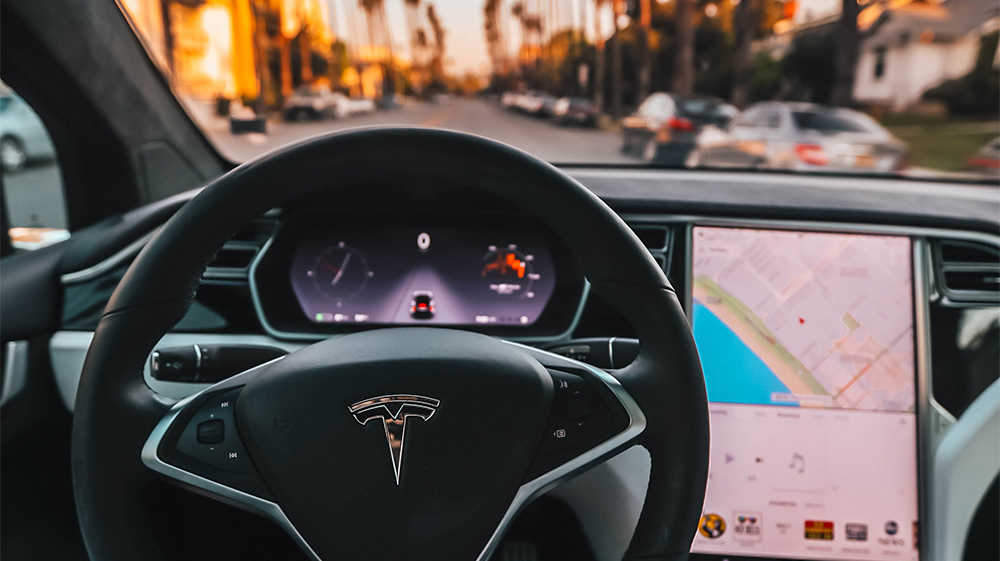
During our Tesla Features Explained blog series, we’ve explored different vehicle features that Tesla has offered on their fleet. However, instead of a feature, today’s installment of the series will focus on a commonly-discussed problem: the MCU1 eMMC failure. This issue affects older Model S and Model X vehicles, and it can still be a factor in your search for a pre-owned Tesla.
So, what is an MCU or an eMMC? Why is there a problem?
We’ll look at the difference between Tesla’s infotainment computers, what the Tesla eMMC failure is and what problems it causes, what to do about it, how much an MCU upgrade costs, and what the MCU1 eMMC issue can mean for buyers of an older used Model S and Model X.
Tesla MCU1 vs. MCU2
First, MCU stands for Media Control Unit. Essentially, it’s the main touchscreen display unit in a Tesla. The MCU controls many of the car’s non-driving functions, such as navigation maps, HVAC controls, media, vehicle settings, browser access, connectivity features, and entertainment. Without the MCU, a Tesla may still be technically drivable, but the ownership experience gets frustrating very quickly.
Tesla has used multiple infotainment computer generations over the years. For this article, the main concern is still MCU1, because that is the unit tied to the well-known 8GB eMMC failure issue. MCU1 was used in older Model S and Model X vehicles, while later vehicles moved to MCU2, and newer vehicles eventually moved to Ryzen-based infotainment hardware that many owners loosely refer to as MCU3.
MCU1 used an NVIDIA Tegra infotainment processor and an 8GB embedded MultiMediaCard. MCU2 used an Intel Atom processor and brought a much faster touchscreen experience, better browser/video capability, Tesla Theater, expanded Tesla Arcade, and better long-term usability. Later Ryzen-based systems are faster again, but they are not the main focus here because the eMMC failure problem is really an MCU1-era Model S/X issue.
Next, we’re going to dive into the big reason MCU1 on the Model S and Model X can be a problem: the failure of the eMMC.
eMMC Failure in MCU1 – Symptoms and Diagnosis
Now for the eMMC: the embedded MultiMediaCard. Basically, the eMMC we’re talking about is the flash memory in the MCU1. Tesla’s original MCU1 eMMC has a history of known failure because the memory chip can wear out after too many read/write cycles. Once enough memory segments degrade, the touchscreen computer can start behaving erratically or fail entirely.
When the eMMC experiences complete failure, it can take the MCU’s functionality down with it. If you are driving when this occurs, core driving functions should still remain accessible, including steering, braking, turn signals, headlights, and basic vehicle control. But you may lose access to normal touchscreen functions, phone app access, climate controls, maps, media, backup camera functionality, and stored MCU data. In some situations, owners have also reported charging-related headaches when the touchscreen is not functioning properly.
Tesla issued software updates to reduce safety concerns around MCU failures, and the company later issued a recall for affected Model S and Model X vehicles with the 8GB eMMC in MCU1. Under the recall, Tesla replaces the 8GB eMMC with an upgraded 64GB component.
The main takeaway here? If your older Model S or Model X still has the original MCU1 8GB eMMC and is affected by the recall, Tesla’s eMMC recall is the first thing to check.
Is the Tesla eMMC Recall Still Relevant?
Yes, but the situation is different now than it was when this article was originally written.
Back when MCU1 failures were first becoming a huge topic, plenty of owners were still waiting for repairs, reimbursement details, or clarity on whether they should replace the chip, upgrade the whole infotainment unit, or keep driving until something failed. In 2026, the issue is more mature: many affected vehicles have already had the recall completed, some have been upgraded to MCU2, and some older cars may have open recall work that still needs to be checked by VIN.
Tesla’s own recall information still lists the 8GB eMMC recall and says recall service is provided free of charge for affected vehicles. If you are shopping for an older Model S or Model X, the smart move is to check the VIN rather than guessing based on model year or seller description.
Not every Model S or Model X with MCU1 has experienced the issue in a dramatic way. Some cars had the recall completed long ago. Some had a full MCU2 infotainment upgrade. Some may still have an open eMMC recall. The point is not that every MCU1 car is a disaster. The point is that this is a known, checkable issue on older Model S/X vehicles, and you should verify it before buying.
How Can You Tell Which MCU You Have?
You can check to see if your Model S or Model X has MCU1 in a few different ways. First, if you have a Tesla that was built after the MCU2 transition in 2018, you probably have MCU2 or later. But some older Teslas have already received an infotainment upgrade, so model year alone is not enough.
Here are a few ways to tell:
- Check the infotainment processor in the vehicle information screen. If the infotainment processor is listed as NVIDIA, you are dealing with MCU1. If it says Intel Atom, that is MCU2. If it says AMD Ryzen, that is the newer Ryzen-based infotainment system.
- Look for MCU2-era features. If the car has Tesla Theater, Netflix, Hulu, YouTube, Tesla Arcade, and a much faster browser/interface, it likely has MCU2 or newer.
- Ask for service records. On older Model S/X vehicles, the seller should ideally know whether the eMMC recall was completed or whether the car received the full infotainment upgrade.
For shopping purposes, the infotainment processor screen and service records are more reliable than guessing from a listing description.
How Do You Know if Your eMMC Is About to Fail?
As memory segments in the eMMC start to fail, the MCU may begin to function erratically. Some symptoms of worsening eMMC issues can include:
- Failed over-the-air updates
- Frequent, unprompted reloading of the MCU
- Frequent MCU crashes
- Connectivity issues, including Bluetooth or internet connection problems
- Slowed map rendering and general slowed MCU functions
- Slow reboot or wake time, sometimes increasing from seconds to several minutes
- Music and radio streaming interruptions
- Voice commands not responding properly
- Mileage not adding correctly to trip counters
- Black screen or repeated touchscreen failures
Fun fact: the incidence of Tesla’s MCU1 eMMC failure during updates has led many people to believe that update code killed their MCU. In many cases, the update was not the true cause. The eMMC itself had simply reached the end of its usable read/write lifespan and could no longer reliably write or read the update data.
If you are experiencing any of the issues in the list above, a little troubleshooting can still go a long way.
- First, do a soft reboot of your MCU (we have a tutorial for rebooting your Tesla in our previous blog post). Sometimes turning things off and on again works wonders for an unresponsive screen or connectivity issue. If the issue does not continue, you may be in the clear.
- Next, make sure nothing is plugged into the USB port and disconnect Bluetooth while troubleshooting. Large music libraries, corrupted phone contacts, and connected accessories have been known to cause some strange behavior.
- Finally, if the screen is unresponsive but there have been no other signs of imminent eMMC failure, the touchscreen itself may be broken, not the eMMC. Contact Tesla for further diagnosis.
If your car displays an alert related to MCU memory or touchscreen failure, schedule service and check whether the eMMC recall applies to your VIN.
Tesla MCU1 Replacement Cost – MCU1 to MCU2 Upgrade
One of the remedies Tesla has offered for older MCU1 vehicles is the full infotainment upgrade from MCU1 to MCU2. This is different from the eMMC recall itself. The recall replaces the failed or failure-prone memory component; the infotainment upgrade replaces the older MCU1 system with newer MCU2 hardware.
The MCU2 upgrade is the bigger improvement. It gives the car a faster touchscreen, a better browser, video streaming capability, expanded Tesla Arcade features, and a generally more modern infotainment experience. It can also pair with other upgrades, such as the FSD computer upgrade on eligible vehicles, but it is important to remember that the infotainment MCU and the Autopilot/FSD computer are not the same thing.
Tesla currently lists the Model S/X infotainment upgrade for eligible 2012-2020 vehicles, with current pricing shown through Tesla’s support/shop pages. Tesla also notes that an optional radio upgrade may cost extra, which matters for owners who still care about FM, SiriusXM, or the old radio setup.
Unfortunately, owners who previously upgraded to MCU2 generally should not expect a full refund just because Tesla later performed eMMC recall repairs. Tesla’s reimbursement information is tied to specific paid eMMC repairs and certain diagnosed situations, not a blanket refund for everyone who ever bought the infotainment upgrade.
Tesla MCU1 and Used Vehicles—Is This a Consideration?
If you are considering purchasing a Model S or Model X manufactured before the 2018 MCU2 transition, we recommend asking the seller a few questions:
- Does the car have MCU1, MCU2, or newer infotainment hardware?
- Has the eMMC recall been completed?
- Has the LTE modem been upgraded if the car originally had 3G connectivity?
- Does the touchscreen reboot slowly, crash, freeze, or fail to wake?
- Do Tesla Theater, Netflix, YouTube, or Tesla Arcade work? If yes, the car likely has MCU2 or newer.
- Can the seller provide service records showing eMMC recall completion or an infotainment upgrade?
It’s also a good idea to get the vehicle’s VIN number and plug it into Tesla’s VIN Recall Search. This tool returns information on open recalls for each vehicle, and it can help you determine whether an affected vehicle still has open recall work.
Interestingly, Tesla has historically sold Used Inventory vehicles with open recalls in some cases, so it’s always worth checking the VIN yourself rather than assuming a car is fully up to date just because it came from a dealer, auction, private seller, or Tesla’s own used inventory.
Our listings on Find My Electric also include each vehicle’s VIN when available, so you can check for the eMMC recall or any other recall issues that affect the vehicle you are considering for purchase. You can also use year, model, trim, and feature information to narrow your search toward the older Model S and Model X vehicles most likely to have MCU1 or a completed MCU2 upgrade.
We’d also like to mention that vehicles with MCU1 are also among the most likely Teslas to have transferable Free Unlimited Supercharging, so an MCU1 vehicle with an open or completed recall should not automatically be disqualified from your search. It just needs to be evaluated properly.
Final Thoughts on Tesla MCU1 eMMC Failure
The MCU1 eMMC issue used to be one of the scarier topics for older Model S and Model X shoppers, but in 2026 it is more of a due-diligence item than a mystery. The problem is known, Tesla issued a recall, and many cars have already been repaired or upgraded.
That said, you still need to check. A clean older Model S or Model X with MCU1 can still make sense, especially if the eMMC recall is complete and the car has other valuable legacy perks. But if the touchscreen is slow, the eMMC recall is open, the modem has not been upgraded, or the seller does not know what hardware is in the car, factor that into your decision.
Now that you know enough about the eMMC issue to make a more informed choice when buying a used Tesla, are you ready to start looking for your next ride? Check out our used Model S and Model X listings to see what’s available today! Or—if you’re trying to sell your Tesla with MCU1, MCU2, or newer infotainment hardware—you can list it for sale here too!